


Dynamics Business Central (NAV)
Public Group
Active 3 days ago
Experts:




NAV2018 CU6 Install
-
NAV2018 CU6 Install
Posted by Michael-Carr on August 3, 2018 at 11:31 am-
One last issue before I get to call my 2018 upgrade complete.
When trying to post sales invoices using the post batch option to post completely shipped sales orders we get a “one or more invoices failed to post” even though all shipments are invoiced and posted. In essence a false positive message.
Looking for all or any clues —– been trying to clear this for 6 weeks —– can’t find what’s triggering the message.
Thanks in advance.
——————————
Michael Carr
VP , Finance
Philadelphia Scientific LLC
Montgomeryville PA
—————————— -

Kris Ruyeras
MemberAugust 13, 2018 at 2:24 PM
Hi Michael,Have you tried turning on the debugger? That should tell you exactly where it is giving you that message.
——————————
Kristoffer Ruyeras
Seattle, WA
——————————
——————————————- -
VAR tried that and it was apparently inconclusive?
It’s been 6 weeks of investigation so far with no results. Thought I’d give the NAVUG wizards a shot at it. Usually very reliable info here!
——————————
Michael Carr
VP , Finance
Philadelphia Scientific LLC
Montgomeryville PA
——————————
——————————————- -
Kris Ruyeras
MemberAugust 13, 2018 at 3:53 PM
Did your VAR modified the Sales-Post CodeUnit? That’s interesting that they could not find anything using debugger. That message is within posting.——————————
Kristoffer Ruyeras
Seattle, WA
——————————
——————————————- -
Cynthia Priebe
MemberAugust 13, 2018 at 4:30 PM
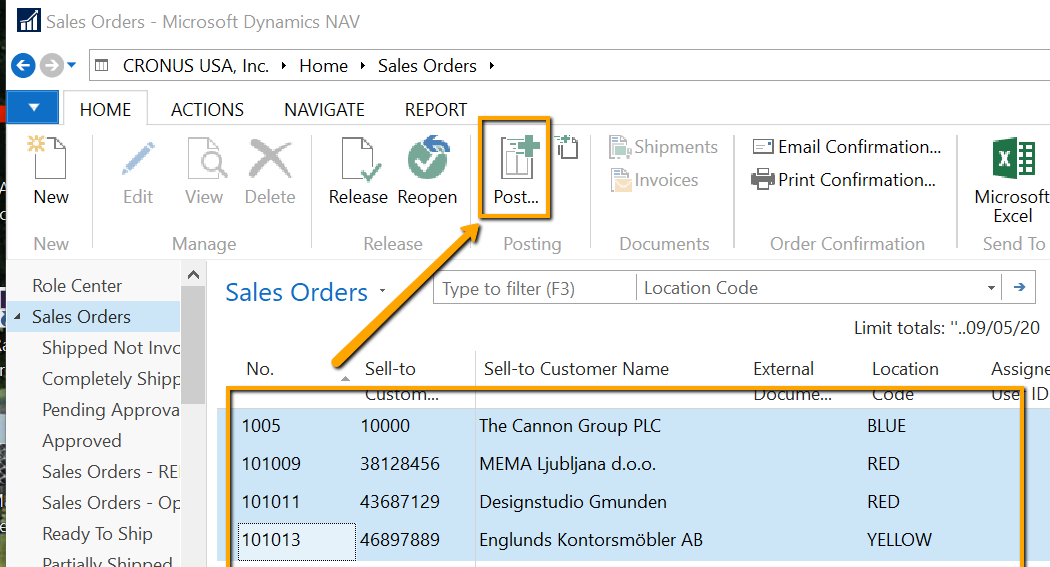
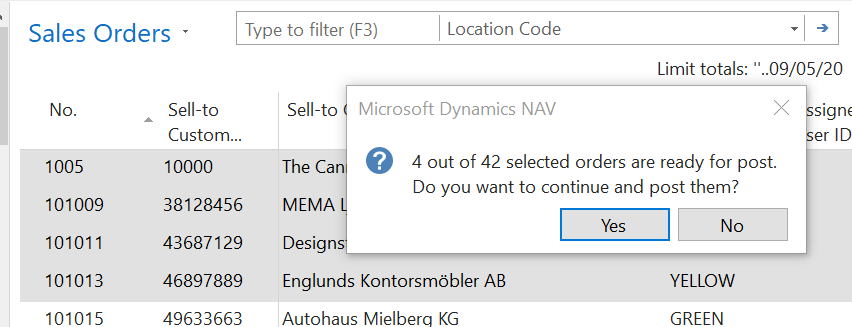
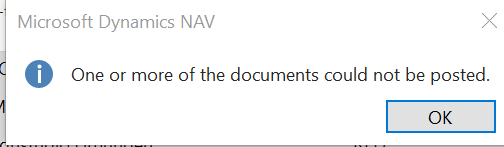
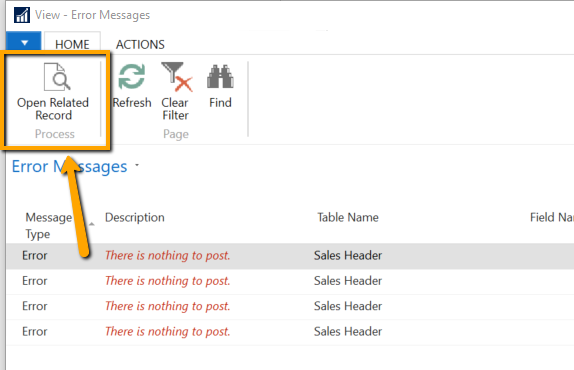
Rather than using Post Batch, from the Sales Invoice List Page, filter and then select the invoices you want to post then select Post (NOT “Post Batch”.) This is a form of batch posting available in NAV 2018. On selecting Post, you will be informed of the number of records out of the total to be posted, and then upon completion NAV provides an error log of those that could not post. I wonder if you will be provided with additional information in support of the error using this approach. I would suggest that in addition to the obvious error log, check that the number to be posted and the “out of” number are correct based on what you see in your list page.You have probably already done this, but did you confirm you don’t have bad data in your sales header table or an order that is filtered out of your list view that is included in your Post Batch filters causing the problem?
My example is from the Sales Order, but the same can be done from the Sales Invoice List Page.
——————————
Cynthia Priebe, MCTS, DCP
Senior Business Analyst and Project Manager
Liberty Grove Software
——————————
——————————————-
Michael-Carr replied 8 years, 1 month ago 1 Member · 0 Replies -
-
0 Replies
Sorry, there were no replies found.
The discussion ‘NAV2018 CU6 Install’ is closed to new replies.
