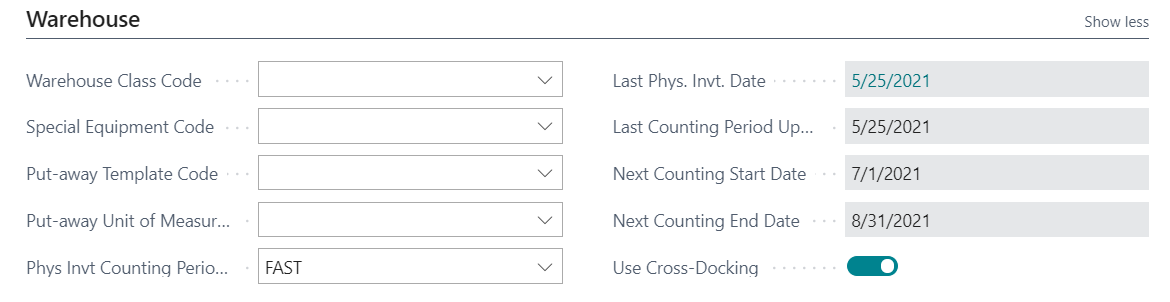
We are on NAV2018 and have recently starting using cycle counting.Ā When updating the counting dates on the Item card after posting our adjustments, do we really have to go into each Item card individually and “calculate counting period” to update the date fields?Ā Is there any way to automatically update all items upon posting?
—————————— Yvonne Jury Business Systems Analyst Scheid Family Wines Salinas CA ——————————
Steven Chinsky
Member
June 25, 2021 at 11:20 AM
Yvonne,
When you run the Physical Inventory Journal and perform the Calculate Counting Period if you select an Item and Post the Journal your Counting Period should update. Below is my test I did today for an Item. The posting will update the Next Counting Start and End Date based on the Counting Period Frequency. Thanks, Steve
—————————— Steven Chinsky Manager Wipfli Mansfield MA NAVUG/BC Programming Committee Member NAVUG All-Star, Granite Award Recipient, MCP, DCMP —————————— ——————————————-
Please note:
This action will also remove this member from your connections and send a report to the site admin.
Please allow a few minutes for this process to complete.

Report
You have already reported this .
Welcome to our new site!
Here you will find a wealth of information created for peopleĀ that are on a mission to redefine business models with cloud techinologies, AI, automation, low code / no code applications, data, security & more to compete in the Acceleration Economy!