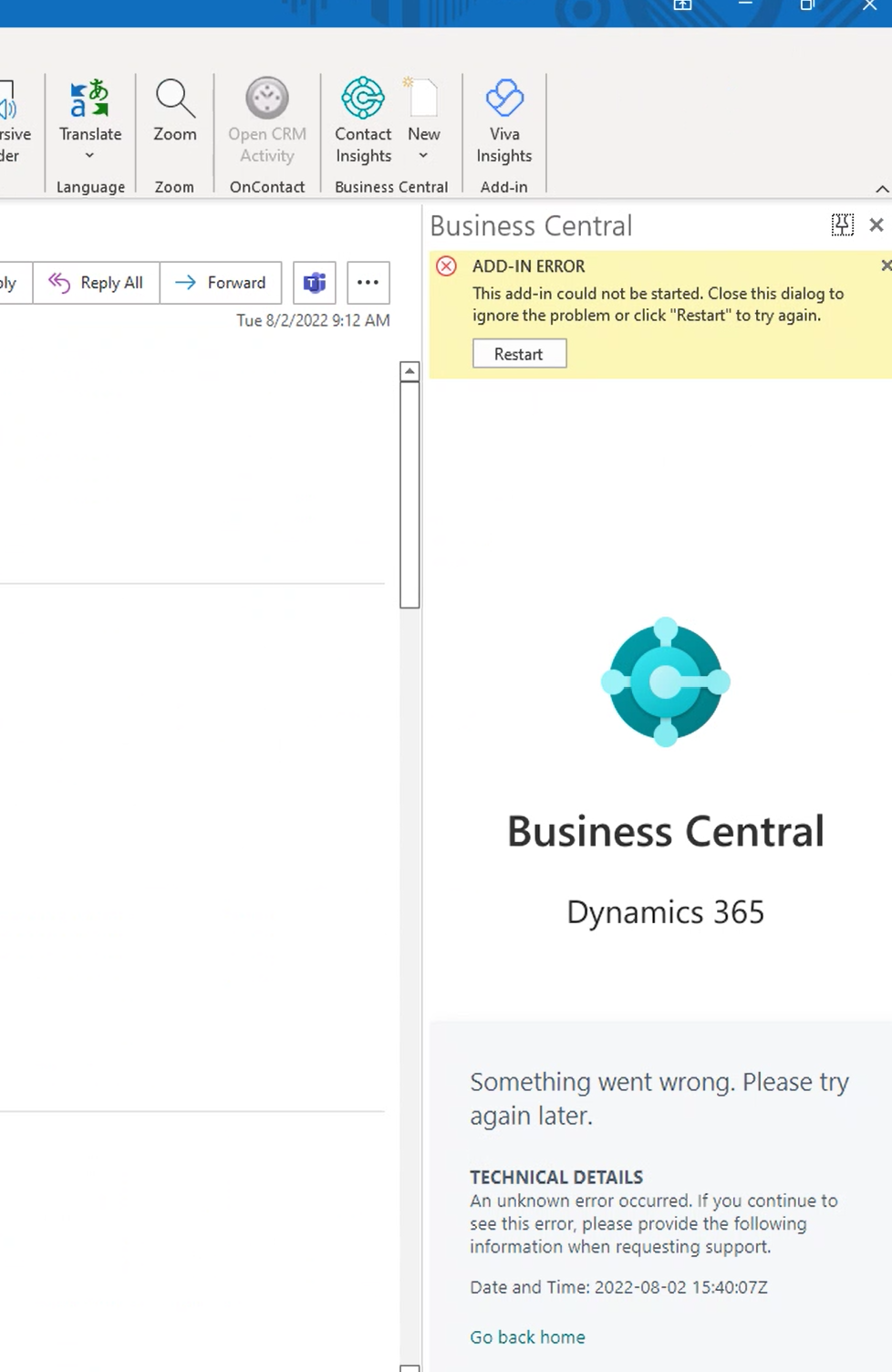
Client is on 20.3.42673.42776.Ā Several people are experiencing this issue with the Outlook connectors in the Outlook thick client (see screen shot).Ā Steps I took:
manually uninstalled both outlook plug-insĀ
closed outlook
ran the addon wizard in BC
opened outlook
once you open the addon it sits there for about 60 seconds then comes up with this:
—————————— Mark Sengstock Director of Enterprise Solutions Impact Networking, LLC. Lake Forest IL ——————————
Kris Ruyeras
Member
August 17, 2022 at 5:53 PM
Hi Mark,
When you remove the add-in, I believe there is also an XML file that gets left behind, usually found within Appdata. I suggest you clear that out and see if helps.
—————————— Kristoffer Ruyeras VP of Operations Tigunia Seattle, WA —————————— ——————————————-
Pam Jackson
Member
August 25, 2022 at 7:25 AM
Hi Mark,
Try assigning Super permission to the user but with a blank field for the company. Remove the add-in within Outlook via Get Add-ins > My Add-Ins (Both Document View and BC)Ā and close Outlook. In BC run the Outlook Add in again. Reopen Outlook. Once connects remove the super permission.
Works for me – been struggling with this issue internally for a couple of weeks myself š
(Follow #bcalhelp on Twitter.)
Pam?
—————————— Pam Jackson Mantis Holdings Brighouse —————————— ——————————————-
Please note:
This action will also remove this member from your connections and send a report to the site admin.
Please allow a few minutes for this process to complete.

Report
You have already reported this .
Welcome to our new site!
Here you will find a wealth of information created for peopleĀ that are on a mission to redefine business models with cloud techinologies, AI, automation, low code / no code applications, data, security & more to compete in the Acceleration Economy!