


Dynamics Business Central (NAV)
Public Group
Active 8 hours ago
Experts:




Account Schedules
-
Account Schedules
Posted by DSC Communities on March 22, 2017 at 3:47 am-

Geoff Odgers
MemberMarch 22, 2017 at 3:47 AM
Good Morning, I have loaded a budget for the next financial year here in Australia.. 1/7/2017-30/6/2018The entries are on a day by day basis, when I want to load them into a schedule they will only display as a whole year and not per day/week/or month. Can anyone tell how I should set the Column Layout up??
——————————
Geoff Odgers
Hyde Park Management Ltd
Broome
—————————— -
Hi Geoff,
What version of NAV are you using? I just tested in NAV 2017 (CU3, North American localization) and Account Schedules are showing budgeted amounts as expected.
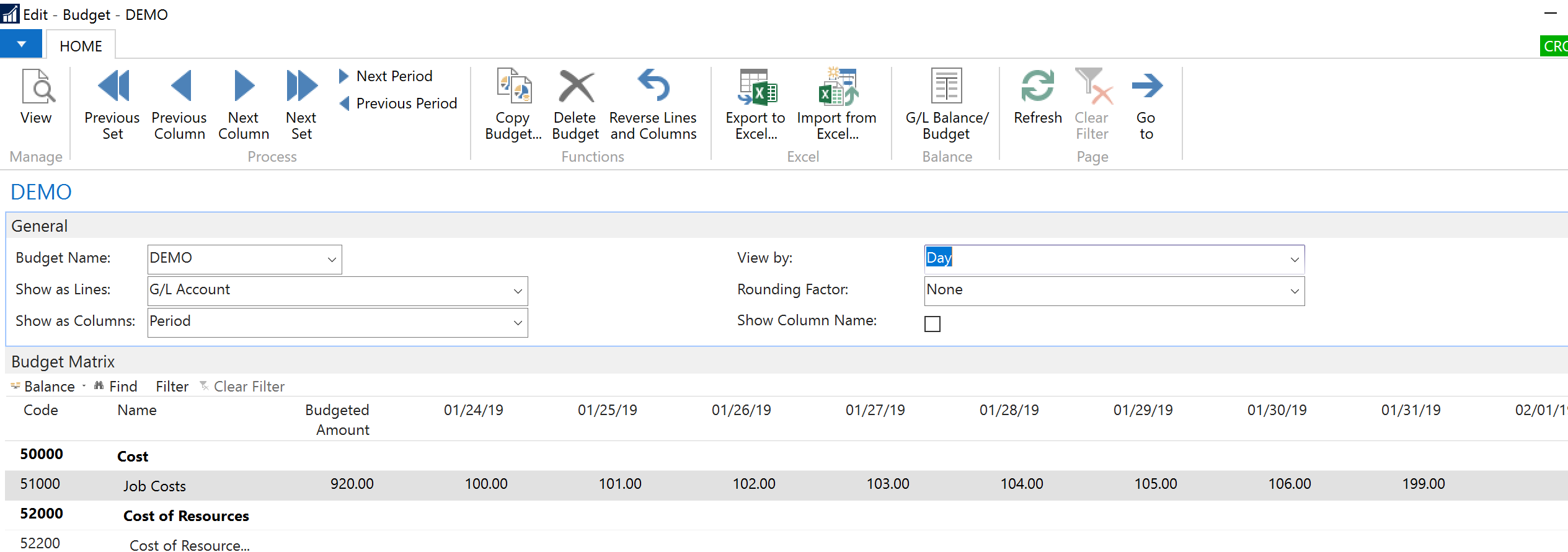
I created a new budget and for a particular G/L Account (51000), I entered budgetary amounts at a daily level as shown below (View by is set to Day, and amounts appear for 01/24/19 to 01/31/19):
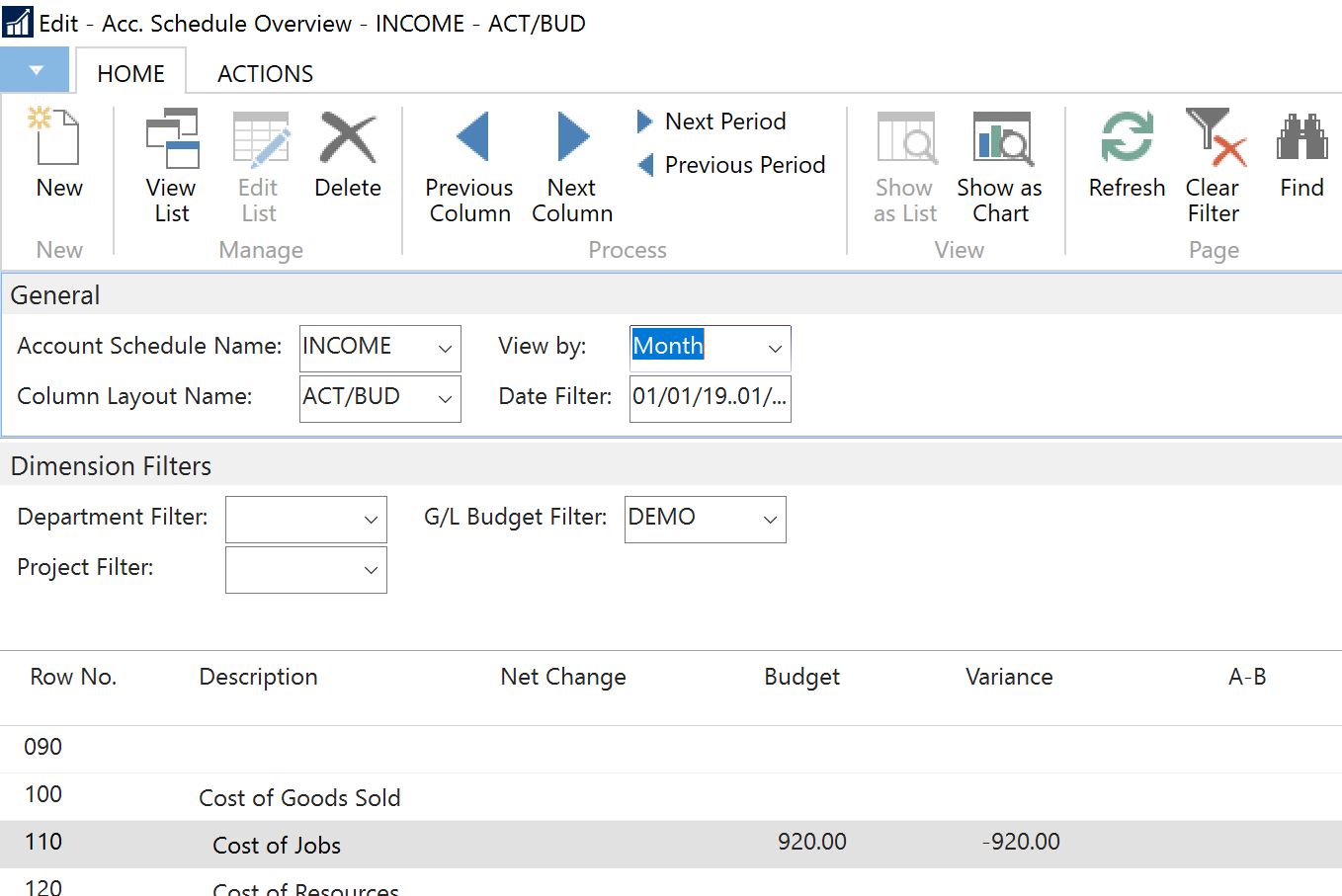
I subsequently went to my Account Schedules, and ran my Income Statement with and Actuals vs. Budget Column Layout.First, I viewed it at the month level, and you can see it shows the combined Budget amount of $920 (consistent with the budget screenshot above):
Then, I changed the filter to Day, to 01/28/19, and see the Budget column showing $104 (again, consistent with the Budget in the first screenshot for 01/28/19):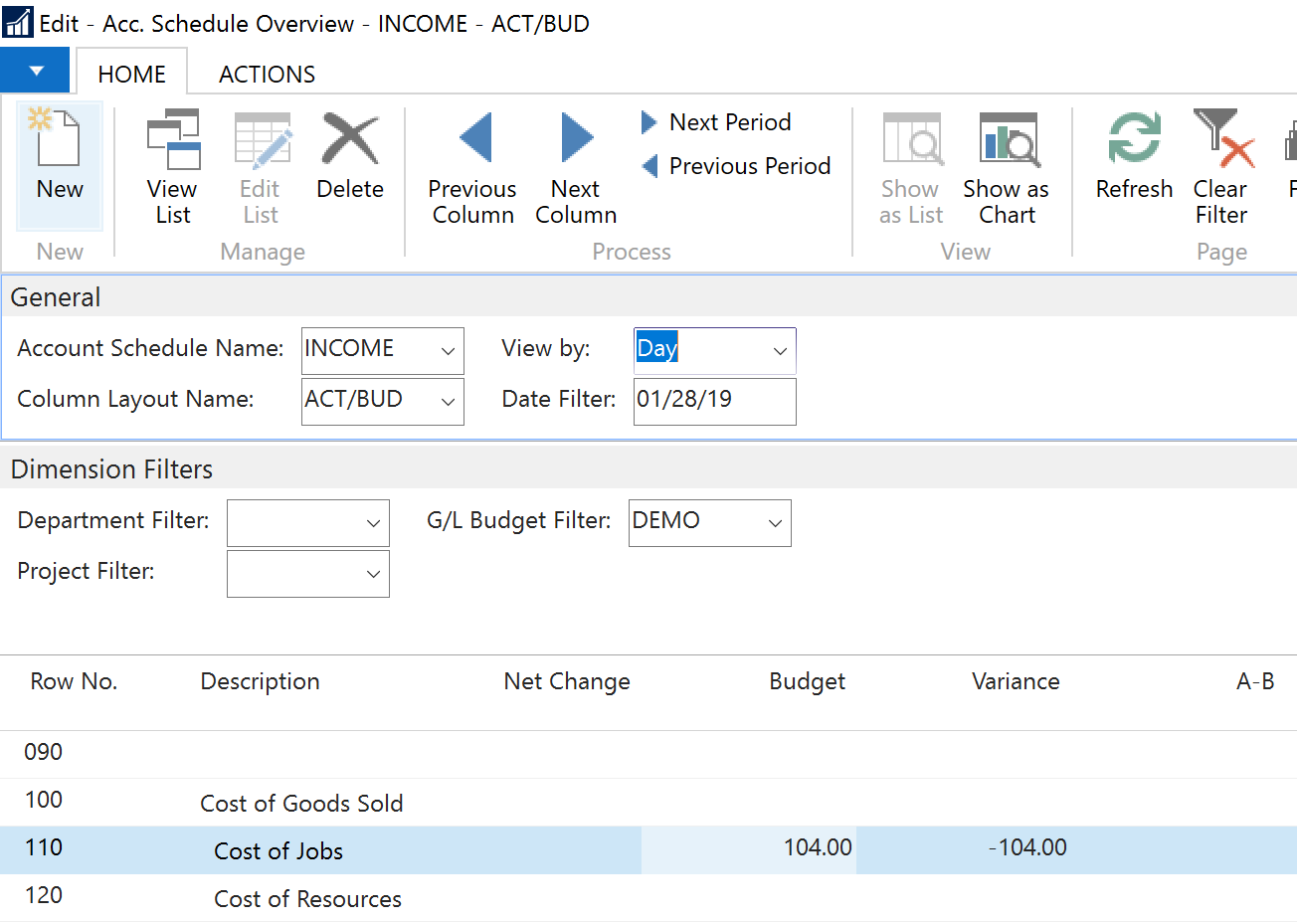
I changed the view to the next period (in this case, the next day, 01/29/19), and again the amount of $105 displayed in the budget column is consistent with the amount the Budget for 01/29/19 in the first screenshot: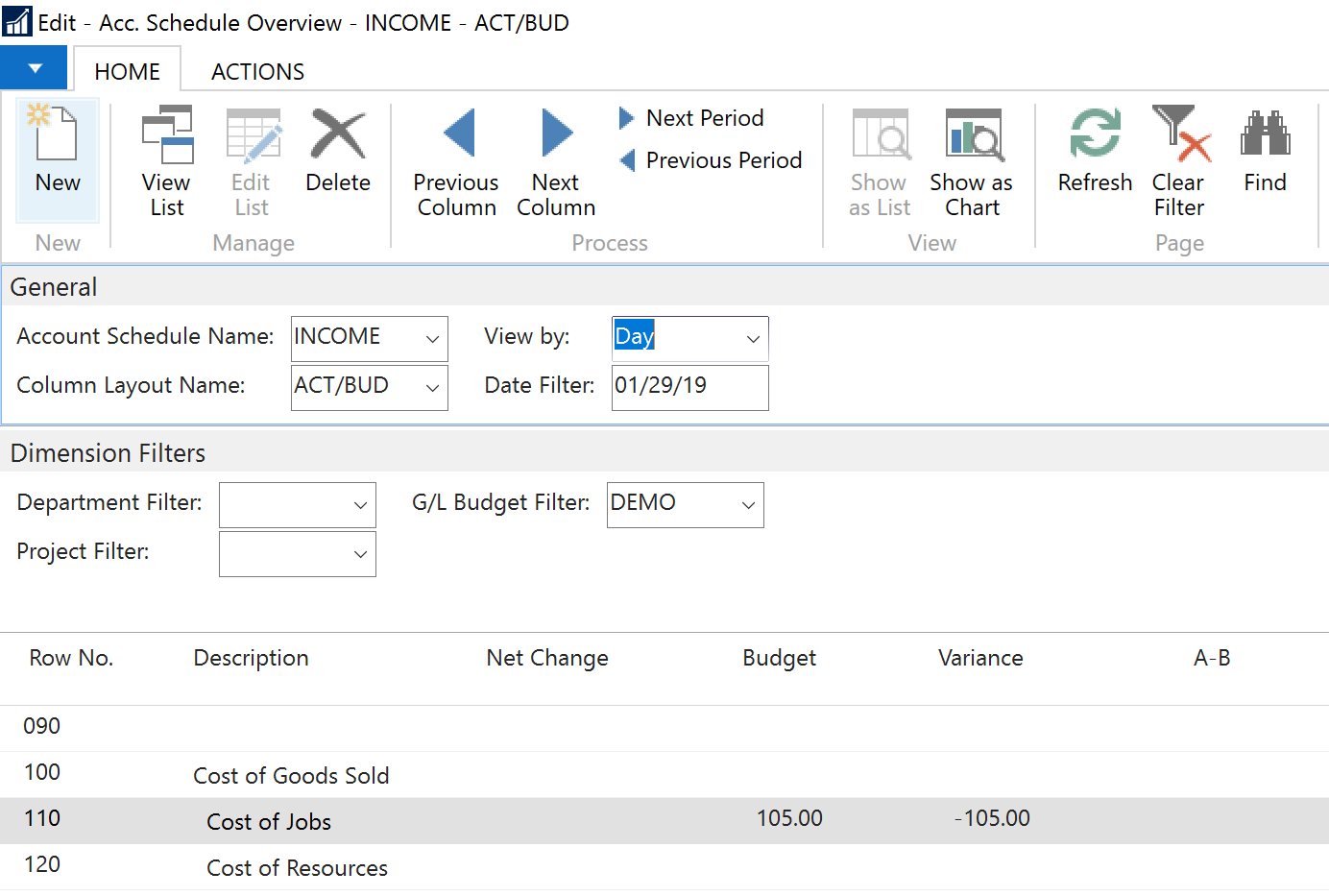
Can you double-check your budget and confirm that you did indeed budget amounts at the daily level, and at a higher level like week, month, quarter or year?If that checks out, check the Column Layout that you are using on the Account Schedule. . Perhaps the Column Type for the Budget column(s) in the Column Layout is set to something other than Net Change. It may be set to Year to Date, or something else. See screenshot below for my column layout:
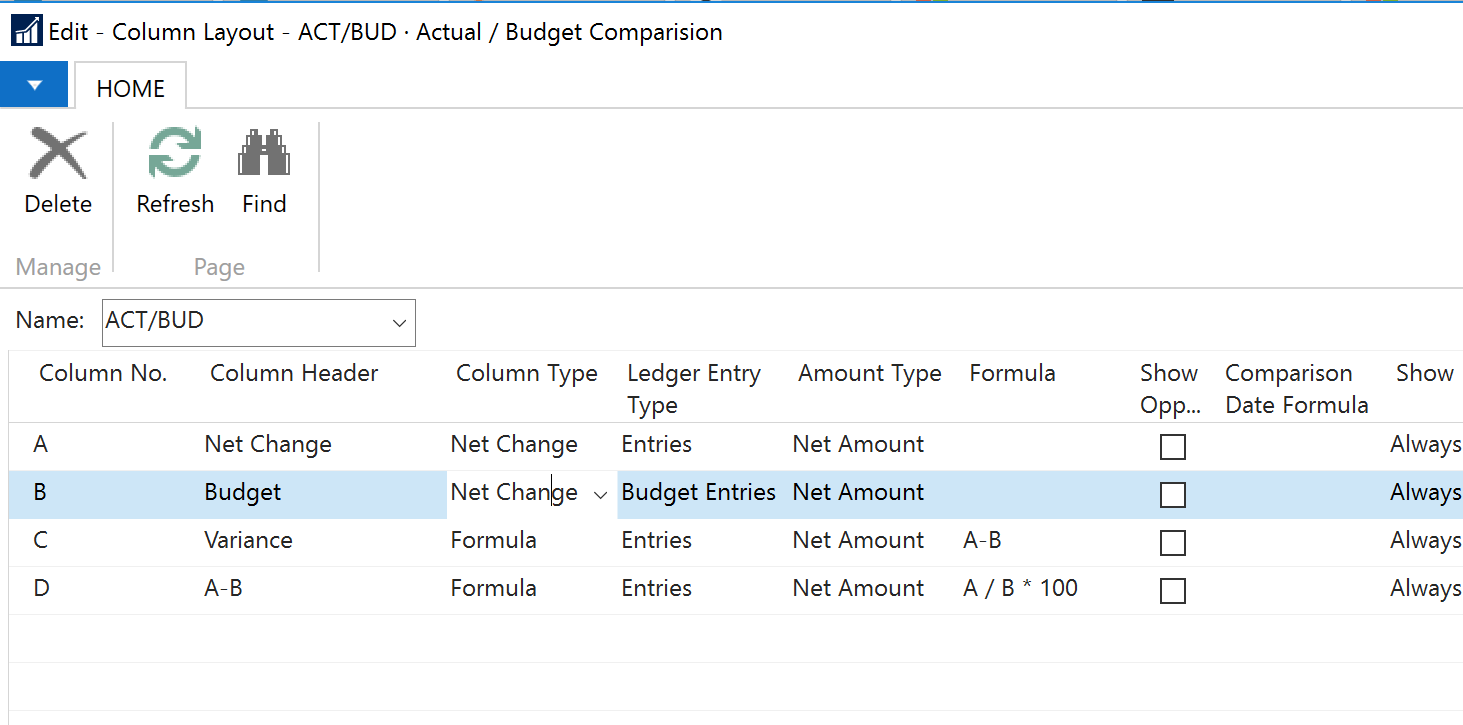
If that is also not an issue, perhaps there is a bug in the specific build of NAV that you are using. Check the build number, and contact your partner (or check Microsoft CustomerSource) to see the list of Cumulative Updates for your version of NAV, and check if this was a known issue that has been addressed by Microsoft with a subsequent Cumulative Update.Good luck!
——————————
AJ Ansari
NAV Product Manager
InterDyn BMI
Houston TX
——————————
——————————————- -
Geoff Odgers
MemberMarch 23, 2017 at 4:58 AM
Thanks Aj.It was simply a matter of creating a new year, as the budget is for the next financial year..
Happy days!!
Geoff
——————————
Geoff Odgers
Hyde Park Management Ltd
Broome
——————————
——————————————-
DSC Communities replied 9 years ago 1 Member · 0 Replies -
-
0 Replies
Sorry, there were no replies found.
The discussion ‘Account Schedules’ is closed to new replies.
