

Crafting Multi-Agent AI Systems & Autonomous Agents with Copilot Studio, Power Platform, Dynamics 365, MCP, ChatGPT, DeepSeek, & Azure AI Foundry
What are "Learning Labs"?
Dynamic Communities’ “Learning Labs” are interactive virtual classrooms designed to foster hands-on learning in a collaborative environment. These exclusive virtual classes will equip attendees with the tools needed to tackle real-world challenges through curated trainings led by experienced instructors. Each course is focused, practical, and built to deliver immediate value that participants put to use in their roles. Whether you're looking to deepen your product knowledge or explore new technologies, Learning Labs offer an engaging and impactful learning experience.
Workshop Level:
Beginners/Intermediate
Who Should Attend?
This hands-on seminar is open to developers, senior software engineers, IT pros, architects, IT managers, citizen developers, technology product managers, IT leaders, enterprise architects, chief analytics officers, chief information officers, chief technology officers, and decision-makers interested in learning how AI Agents and Generative AI can help infuse artificial intelligence into next-generation apps and agents.
Experience with C#, Python, or JavaScript is helpful but not required. You don't need prior knowledge of AI either. Although this isn't a data & analytics-focused workshop, data scientists, data stewards, and technically-minded data protection officers will also find it very valuable.
Description:
Microsoft Copilot Studio Overview: To create powerful AI-powered Agents and copilots for a range of requests—from providing simple answers to common questions to resolving issues requiring complex conversations.
Copilot Studio is a graphical, low-code tool for both creating an agent—including building automation with Power Automate—and extending a Microsoft 365 Copilot with your own enterprise data and scenarios. One of the standout features of Copilot Studio is its ability to connect to other data sources using either prebuilt or custom plugins and integration with Azure AI Foundry. This flexibility enables users to create and orchestrate sophisticated logic, ensuring that their agent experiences are both powerful and intuitive.
An agent is a powerful AI companion that can handle a range of interactions and tasks, from resolving issues requiring complex conversations to autonomously determining the best action to take based on its instructions and context. Agents coordinate a collection of language models, along with instructions, context, knowledge sources, topics, actions, inputs, and triggers to accomplish your desired goals.
Azure AI Foundry is a unified AI platform that includes both the Azure AI Foundry portal (formerly Azure AI Studio), and the Azure AI Foundry SDK, a unified SDK with pre-built app templates enabling developers to access the most popular models. how organizations can leverage Microsoft Copilot Studio, Microsoft Power Platform, ChatGPT, and Azure OpenAI services to build the next generation of advanced, enterprise-grade Agents and Copilots.
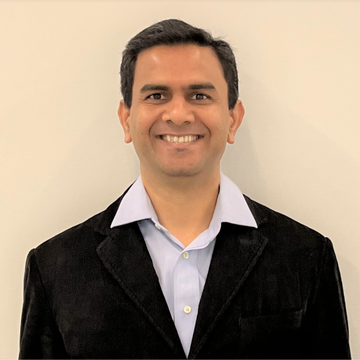
In this hands-on Learning Lab, Microsoft AI and Business Applications MVP and Microsoft Certified Trainer Prashant G Bhoyar will cover how organizations can use the Microsoft Copilot Studio, Microsoft Power Platform, Dynamics 365, MCP, ChatGPT, DeepSeek, Azure AI Foundry, and Azure OpenAI services to build next-gen sophisticated enterprise-grade agents and custom copilots.
At the end of the hands-on workshop, attendees will have a working knowledge of Microsoft Copilot Studio, Azure AI Foundry, Azure OpenAI, MCP, ChatGPT, DeepSeek, and how to use them to create enterprise-grade intelligent Agents and custom Copilots.
Day 1 Topics Covered:
- Agents and Copilots Key Concepts
- Multimodal Apps and Autonomous Agents Key Concepts
- ChatGPT key concepts
- Azure OpenAI Key Concepts
- Azure AI Foundry Key Concepts
- Fundamentals of Prompt Engineering
- Microsoft Copilot Studio Key Concepts
- Authentication in Microsoft Copilot Studio
- Copilot Studio Knowledge Sources
- Copilot Studio Tools
Day 2 Topics Covered:
- Copilot Studio and MCP ( Model Context Protocol)
- How can fusion teams take advantage of Azure OpenAI, ChatGPT, DeepSeek, Azure AI Foundry, and Microsoft Copilot Studio?
- Azure AI Foundry + Microsoft Copilot Studio
- How to use DeepSeek R1 with Azure AI Foundry?
- How to create multimodal agents and custom copilots?
- How to create the multi-agent systems?
- How to create Autonomous agents?
- How to evaluate a use case and find the ROI?
- Best Practices
- Responsible AI: Delve into the ethics and responsible use of AI.
- Enterprise-level applications, Custom Copilots, and AI Agents: Learn to develop robust, scalable multimodal applications, Custom Copilots, and AI Agents using Copilot Studio, Azure AI Foundry, and Azure OpenAI, focusing on industry requirements and best practices.
Workshop Resources:
Attendees will receive access to Microsoft Copilot Studio, Azure, Azure AI Foundry, and Azure OpenAI services (a $500 value) for the hands-on labs. Attendees who already have a Microsoft Copilot Studio or Azure subscription can use that instead.
Attendee Workstation Requirements:
You must bring your own computer (Windows or Mac) with:
- Camera, speakers, microphone, and a reliable internet connection. Tablets will not work for this workshop.
- A modern browser (Microsoft Edge, Google Chrome, Firefox, or Safari).
- Access to www.azure.com and https://copilotstudio.microsoft.com.
- Nice to have is the ability to run C# 10 or Python code, using Visual Studio 2022, VSCode 1.66+, Visual Studio for Mac, Rider, or similar IDE.
Course Details
- Date: Feb. 10-11, 2026
- Time: 9:00 am – 5:00 pm, CT
- Location: Online through Zoom
- Resources Provided: Attendees will receive access to Microsoft Copilot Studio, Azure, Azure AI Foundry, and Azure OpenAI services (a $500 value) for the hands-on labs. Attendees who already have a Microsoft Copilot Studio or Azure subscription can use that instead.
